
Lazy Quips for Mac
Free for up to 7 phrases
Save prompts, replies, and everyday text. Annual or Lifetime unlocks unlimited additions.
- Stays on this Mac
- No account
- Paste only when you choose

Opens the Mac App Store.
Lazy Quips is a local-first Mac menu bar phrase manager for the prompts, checklists, and replies you reuse in Codex, Claude, ChatGPT, Cursor, email, and support. Press ⇧⌘C, choose a saved line, then paste it yourself.
Press ⇧ ⌘ C from any app. Lazy Quips copies only the line you choose.
Press ⇧⌘C from Codex, Claude, ChatGPT, Cursor, or any Mac app. Choose a saved setup and it’s copied, ready for you to paste.
Keep prompts, review checklists, replies, links, and other reusable text together. Search by a word or shortcut, star important items, and choose the one you need.
Your saved library stays on this Mac. Lazy Quips doesn’t read chats, call AI models, inspect existing clipboard contents, paste automatically, or send anything for you.
Press ⇧⌘C from Codex, Claude, ChatGPT, Cursor, or any Mac app—or choose Lazy Quips in the menu bar.
Search a word, phrase, or shortcut. Choose the text you need.
Lazy Quips copies your selection. Review it, then paste it yourself.
A real Lazy Quips screen
This is the real Add window in Lazy Quips. Give reusable text a shortcut, save it to your local library, then find and copy it whenever a new task starts.
Mac with Apple silicon · macOS 14+ · App interface in English and Traditional Chinese
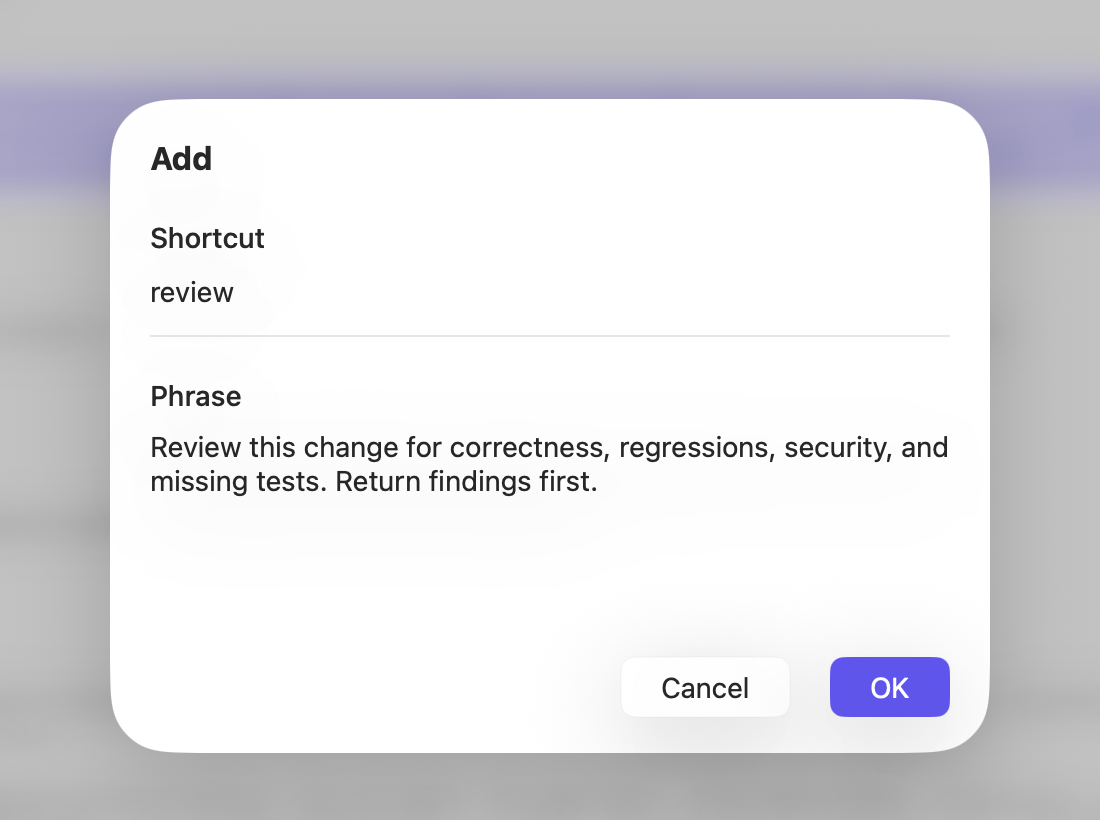
Bring back your review rules, test requirements, acceptance criteria, and handoff format before you begin. No old tasks to search. No full brief to type again. Copy it into Codex, Claude, ChatGPT, Cursor, or any Mac app or text field.
Find the reply you use for meeting times, support, shipping, refunds, or follow-ups. Copy it, update the details, and send it yourself.
Support
Prompts
Lazy Quips doesn’t read what you type, inspect existing clipboard contents, or paste on its own. You choose what to copy, where to paste, and when to send.
Save the context, constraints, review rules, and output formats you reuse. Find the right setup, copy it, then paste it into the tool yourself. Lazy Quips does not connect to these tools, call their models, read their conversations, or send anything for you.
Start free on the Mac App Store. Unlock unlimited additions when you need more.
Lazy Quips for Mac
Save prompts, replies, and everyday text. Annual or Lifetime unlocks unlimited additions.
Opens the Mac App Store.